
MFD Printers
Introduction to MFD Printers
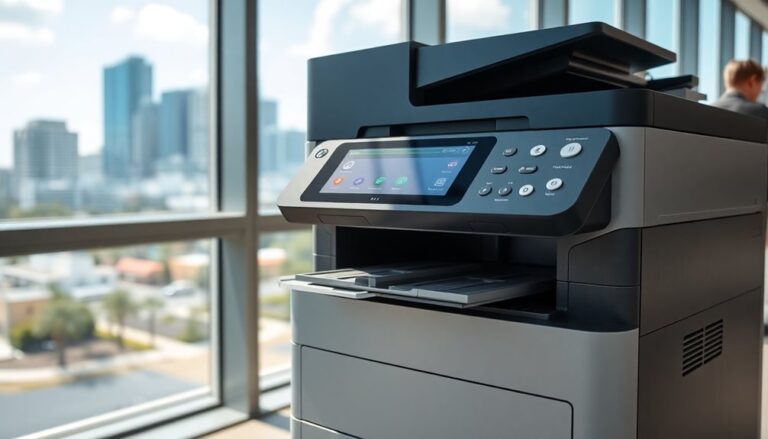
MFD printers, or multifunction devices, are essential for businesses needing to consolidate various office functions into one machine. These devices combine printing, scanning, copying, and sometimes faxing capabilities, enhancing efficiency and reducing costs.
Understanding MFD Printers and Their Benefits
MFD printers provide several benefits, including space-saving, cost-efficiency, and enhanced productivity. They streamline office workflows by centralizing multiple functions, reducing the need for separate devices, and lowering maintenance costs.

Types of MFD Printers Available in the Market
- Inkjet MFD Printers: Ideal for high-quality color printing, suitable for small to medium-sized businesses.
- Laser MFD Printers: Known for fast printing speeds and high-volume capacity, best for large businesses with high print demands.
- Color MFD Printers: Provide vibrant color prints, suitable for marketing materials and presentations.
- Monochrome MFD Printers: Cost-effective and efficient for text documents, suitable for businesses primarily printing black-and-white documents.
- All-in-One MFD Printers: Offer a combination of printing, scanning, copying, and faxing, versatile for various business needs.
Choosing the Right MFD Printer
Selecting the right MFD printer involves understanding your business needs, volume requirements, and budget. Factors such as print speed, quality, and additional features like wireless connectivity and duplex printing should be considered.
Factors to Consider When Selecting an MFD Printer
- Print Volume: Assess your daily, weekly, and monthly print volumes to choose a printer that can handle the workload.
- Print Speed: Faster print speeds can improve productivity, especially in high-demand environments.
- Print Quality: Determine the quality needed for your documents, whether for internal use or client-facing materials.
- Connectivity Options: Look for wireless, Ethernet, and mobile printing capabilities to enhance flexibility.
- Cost of Consumables: Consider the cost of ink or toner and other consumables over the printer’s lifetime.
Comparing Popular MFD Printer Brands and Models
- HP OfficeJet Pro: Known for its reliability and high-quality color printing.
- Canon imageCLASS: Offers excellent print quality and robust features for medium to large businesses.
- Brother MFC: Provides cost-effective solutions with reliable performance.
- Epson EcoTank: Features refillable ink tanks for cost savings on consumables.
- Xerox WorkCentre: Delivers high-volume capacity and advanced document management features.
Sales Options for MFD Printers
Businesses can choose between buying or leasing MFD printers. Each option has its advantages, depending on your financial situation and long-term needs.
Buying vs. Leasing: Pros and Cons
Buying:
Pros:
- Full ownership
- No ongoing monthly payments
- Tax benefits through depreciation
Cons:
- Higher initial investment
- Responsibility for maintenance and repairs
- Potential obsolescence
Leasing:
Pros:
- Lower upfront costs
- Regular upgrades to latest models
- Maintenance and support included
Cons:
- Long-term costs may be higher
- Binding lease agreements
- Limited customization options
Cost Analysis: Initial Investment vs. Long-term Savings
Investing in an MFD printer involves considering both the initial purchase price and the long-term savings on maintenance and consumables. Leasing can offer predictable monthly expenses and reduce the burden of large upfront costs.
Leasing MFD Printers
Overview of Leasing Agreements and Terms
Leasing agreements typically include terms like the lease duration, monthly payments, included services, and end-of-lease options. It’s crucial to understand these terms to avoid unexpected costs.
Benefits of Leasing an MFD Printer for Businesses
Leasing offers several benefits, such as preserving capital, gaining access to the latest technology, and including maintenance and support in the lease agreement.
Common Pitfalls to Avoid in Lease Agreements
- Hidden Fees: Ensure transparency in lease agreements to avoid unexpected costs.
- Inflexible Terms: Negotiate terms that allow upgrades or early termination without heavy penalties.
- Excessive Maintenance Charges: Confirm what maintenance is covered to avoid additional charges.
Proud Brands We Use
- HP
- Canon
- Brother
- Epson
- Xerox
- Lexmark
- Samsung
- Dell
- Kyocera
- Ricoh
Safety Message to Clients About Using Our Services
Our commitment to safety ensures that all MFD printers are installed and maintained according to industry standards. We prioritize your business’s security and operational efficiency.
| MFD Printers | Multifunction Devices | All-in-One Printers |
|---|---|---|
| HP OfficeJet Pro | Canon imageCLASS | Brother MFC |
| Inkjet MFD Printers | Laser MFD Printers | Color MFD Printers |
| Monochrome Printers | Cost-Effective Printers | High-Volume Printers |
| Wireless Printing | Ethernet Printers | Mobile Printing |
| Duplex Printing | Refillable Ink | Advanced Document Management |
Frequently Asked Questions About MFD Printers
Q: What is an MFD printer? A: An MFD printer, or multifunction device, combines printing, scanning, copying, and sometimes faxing into one machine.
Q: What are the benefits of using an MFD printer? A: MFD printers save space, reduce costs, and enhance productivity by consolidating multiple functions into a single device.
Q: How do I choose the right MFD printer for my business? A: Consider factors such as print volume, speed, quality, connectivity options, and cost of consumables.
Q: Should I buy or lease an MFD printer? A: Buying involves a higher initial investment but offers ownership, while leasing provides lower upfront costs and includes maintenance and upgrades.
Q: What should I look for in a leasing agreement? A: Ensure clarity on lease duration, monthly payments, included services, and end-of-lease options to avoid unexpected costs.
If you have any further questions or need personalized assistance, feel free to contact us at JR Copier.